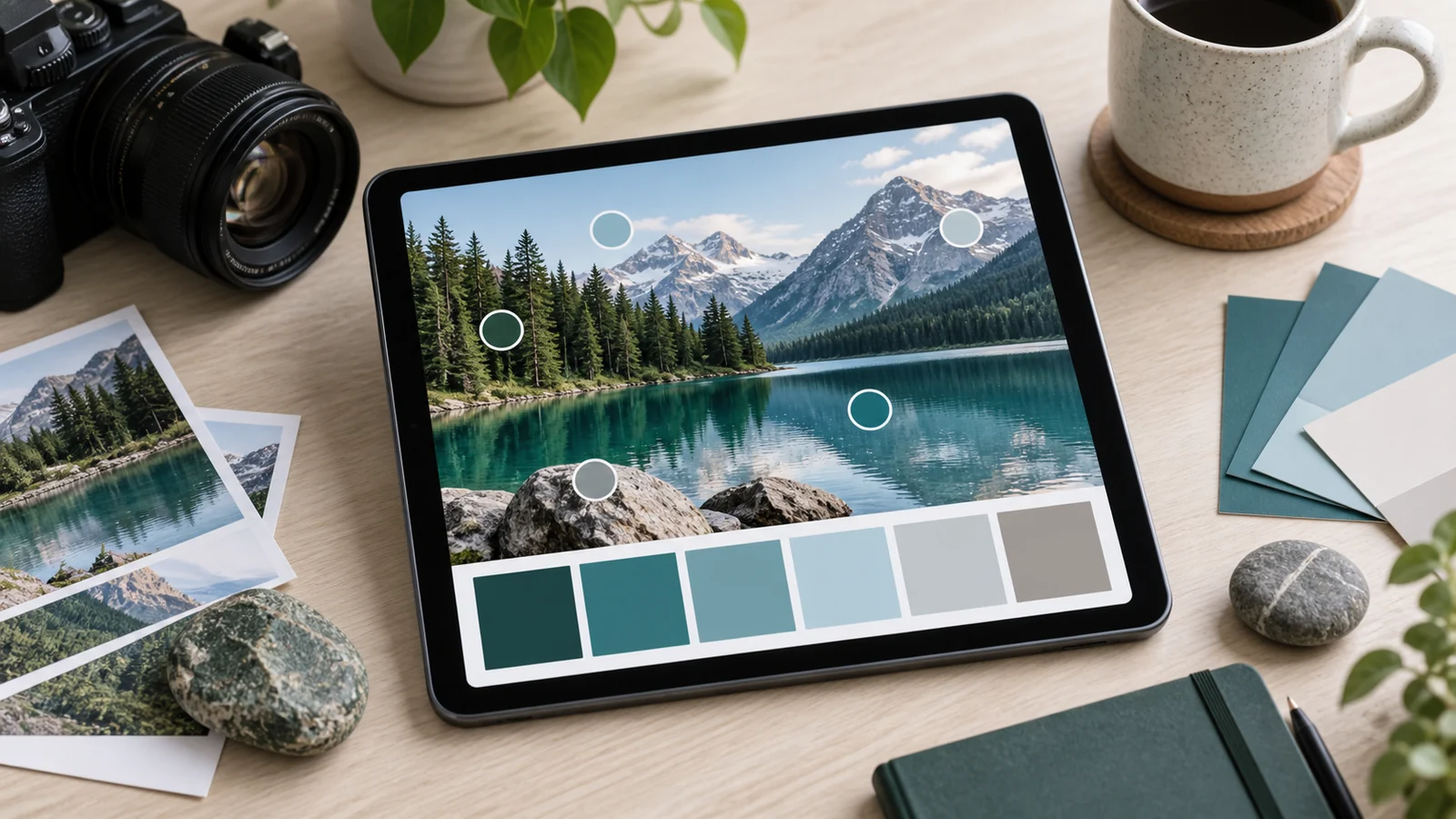
Extracting a palette from an image is the most intuitive way to generate colors: you already have a picture whose colors you like, and you want them as a usable set. This guide explains how a palette generator from an image does that, and how to get the best result out of it.
Key takeaways
- Extraction is clustering: similar pixels are grouped, and each group's average becomes a swatch.
- Swatches rarely match any single pixel, which is a feature rather than a fault.
- Source choice and cropping affect the result far more than the number of colors requested.
- A raw extraction is a draft — clean it up, then assign roles.
The core idea: clustering
An image is millions of colored pixels. The generator treats each pixel as a point in color space and groups nearby points into a small number of clusters — one for the reds, one for the greens, and so on. The average color of each cluster becomes one swatch in your palette. Ask for five colors and the tool finds the five most representative clusters in the picture.
Why extracted colors don't match any pixel
Because each swatch is the average of an entire cluster, it rarely equals any single pixel exactly. This is a feature rather than a bug: the average represents a whole region, while any individual pixel is likely an outlier produced by lighting, noise or compression. Eyedropping one pixel gives you an accident; clustering gives you the color the region actually reads as.
Choosing a good source image
- Clear subject, limited colors. An image built on two or three dominant colors extracts cleanly; a busy, evenly colored scene produces mud.
- Even lighting. Harsh highlights and deep shadows add near-white and near-black clusters that crowd out the colors you actually wanted.
- Crop first. If you only want the colors from part of an image, crop to that part before extracting — cropping is the single most effective control you have.
How many colors to ask for
Five is a sensible default. Ask for three and the clusters become so broad that distinct regions merge into one average; ask for ten and the extra swatches are usually near-duplicates that add nothing but decision fatigue. If a five-color extraction misses a color you can clearly see in the picture, that region is small — crop closer to it rather than raising the count.
Cleaning up the result
A raw extraction is a draft. Replace any near-grey swatches with a deliberately chosen neutral, widen the lightness range so you have usable colors for both text and backgrounds, and lock the colors you love before regenerating the rest. The step-by-step version lives in our article on using a palette generator from an image.
From extraction to design system
Once the palette is clean, assign each color a role — dominant surface, primary accent, supporting neutral — and verify your text pairings in the contrast checker. Photographs are forgiving in a way paragraphs are not, and extracted palettes frequently lack the very light or very dark color that body text requires. An extracted palette becomes a real system only once its colors have jobs.
The homepage generator lets you build and refine palettes, lock colors, and export the result as CSS variables in one place.
When extraction is the wrong tool
Image extraction is excellent for mood and poor for precision. If you need a palette that satisfies fixed constraints — an exact brand hex, a guaranteed contrast ratio, a specific harmony relationship — start from a color and a harmony rule instead, and use the image only as a reference for the mood you are aiming at. Extraction reports what is in a picture; it does not negotiate with requirements. Knowing which of the two problems you have saves the frustration of repeatedly re-cropping a photograph in the hope that it will eventually produce a color it does not contain.
Frequently asked questions
Does the image ever leave my browser?
No. Extraction runs locally on your device, so the picture is never uploaded to a server.
Why did a color I can clearly see not appear?
It occupies too few pixels to form a cluster. Crop tightly to that region and extract again.
Which file types work best?
Any common format works. Flat graphics such as logos extract most precisely, because their clusters are tight and the averages land close to the original colors.
For the algorithm shared by both extraction and harmony modes, read how a palette generator reads color.