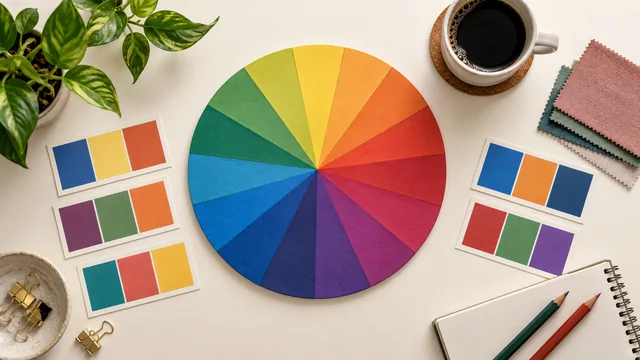
A palette generator is a tool that turns a starting point — a single color, a hex code, or an image — into a coordinated set of colors that belong together. Instead of guessing which colors pair well, you let a small amount of color-wheel math do the pairing, then refine the result to taste.
Key takeaways
- A generator narrows an infinite choice to a handful of colors with a defined relationship.
- Three common starting points: one color, an exact hex code, or an uploaded image.
- Harmony rules decide the mood; saturation and lightness decide whether it works.
- The output is a strong first draft, not a finished palette.
What problem it solves
Choosing colors from nothing is genuinely hard. Two colors that look fine alone can clash the moment they meet, and a palette that looks striking as a row of swatches can fail once it carries text. A palette generator narrows an infinite choice down to a handful of colors that already have a mathematical relationship, so you start from something coherent rather than from a blank canvas — and you spend your judgment on the parts that need it.
The three ways to start
From one color
Give the generator a base color and a harmony rule, and it builds partners around it. This is the most common use in practice: a brand color already exists and the rest of the palette has to live with it.
From a hex code
The same as starting from a color, but you type the exact six-digit value instead of picking it. This is how designers and developers feed a precise, known color into the tool without introducing the small drift that eyedropping a screenshot causes.
From an image
Upload a photo and the generator extracts its dominant colors by grouping similar pixels together. This turns any picture — a product shot, a landscape, a moodboard — into a usable palette, and it is the fastest route from a feeling to a set of hex codes.
Harmony rules in brief
Every generator relies on relationships taken from the color wheel: monochrome (one hue, many shades), analogous (neighboring hues), complementary (opposite hues), and triadic (three evenly spaced hues). Each produces a different mood, and choosing the right one is how you steer the output rather than merely accepting it. The harmony rules guide covers each in detail.
What a good generator gives you beyond colors
The colors themselves are only half the value. A tool worth using also lets you lock the swatches you like and regenerate the rest, copies exact hex values in one click, checks contrast between any two colors, and exports the result in a format you can paste straight into code. Those features are what turn a novelty into part of a working process.
Where a generator ends and you begin
The tool guarantees that colors are related; it cannot guarantee they suit your project, your audience or your client's opinions. Treat the output as a strong first draft: lock the colors you like, regenerate the rest, adjust saturation and lightness by hand, and check contrast before you commit anything to a layout.
Ready to try it? Open the live generator, press the space bar to generate, and lock any color you want to keep.
A five-minute first palette
If you have never used one, this sequence produces a usable result immediately. Open the generator, enter or pick a base color you like, and choose the analogous rule. Press generate a few times and lock the two colors you would keep. Generate again until the remaining three stop bothering you, then look at the set as a whole: is one light enough for a background, one dark enough for text? If not, adjust those two by lightness alone. Finally, run the darkest against the lightest through the contrast checker. That is a complete, accessible five-color palette, and it takes about five minutes the first time and one minute afterwards.
Frequently asked questions
Is a palette generator free to use?
Ours is, with no account and no watermark. Copy any swatch, export the full palette as CSS variables, and leave whenever you like.
How many colors should a palette have?
Five is the practical default: one dominant, two supporting, one accent and one detail shade. Add neutrals separately rather than spending palette slots on them.
Do I need to know color theory to use one?
No. The harmony rules do the theory for you. Knowing what each rule does simply makes it faster to reach the palette you had in mind.
Next, see how the same tool works from a photograph in how a palette generator works from an image.